 APKBees
Snaptube
by Mobiuspace
Loading...
Share App
Share Snaptube with friends
https://apkbees.com/apps/snaptube
SHARE ON
Snaptube Video Downloader | Download APK 2026
Snaptube is a video downloader app for anyone who wants to save online videos directly to their phone. You find a video, open it through Snaptube, and save it in a few taps. No complicated settings. No extra steps to figure out. No need to copy links into a separate website or wait around for a converter to finish. Install the app once and the app handles the rest from start to finish.
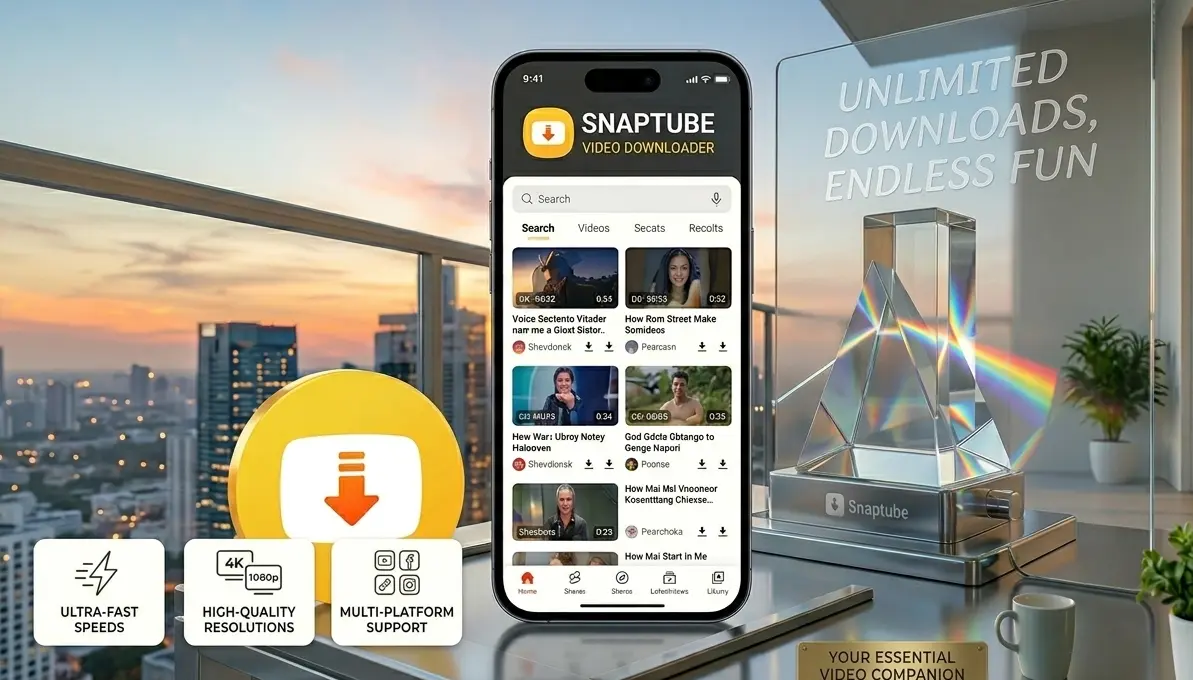
Losing internet access at the wrong moment is annoying. A flight with no WiFi for the hours. A train ride through an area with weak signal that keeps cutting out. A data plan that runs out before the month ends, right when need it the most. A spot at home or work where the connection never quite reaches. Snaptube solves this directly. Download the video while you have a connection, save it to phone, and watch it later whenever you want, online or offline, with no buffering and no waiting. Single download also means you are not stuck rewatching a video through a slow connection a second time. Once it's saved, it's saved. Open the app, tap the video, and it plays instantly from phone's storage instead of pulling data over a network each time.
What Is Snaptube
Snaptube is an all in one media tool that lets you download video and audio content from over 50 different platforms directly to mobile phone. Instead of using separate tools to find, convert and play media, Snaptube handles everything in one place. Saving a video tutorial to watch during a commute, grabbing a song for music library or keeping a long video for later, the app makes the process fast and simple.
The app also makes it easy to convert videos into audio files. Take any music video you find online and turn it into an MP3 file, which lets you build a music collection without needing a separate music downloader. Because everything happens inside the same app, from the initial download to the final playback, you do not have to switch between different websites or apps to manage the files. It is designed to be straightforward, giving a quick and reliable access to content whenever you want it, even when offline. You can easily organize downloads and enjoy your favorite entertainment without any technical hassle.
Why Users Choose Snaptube in 2026
In 2026, many users turn to Snaptube primarily for its ability to help manage and organize their own digital media library. As people consume content across dozens of different platforms, they often look for a central utility that allows them to store, categorize, and access their media files locally on their own devices. By consolidating various file types into one organized interface, the app helps users keep their digital content tidy and accessible, especially when they need to view their saved files offline.
The app’s ongoing popularity is also tied to its focus on stability and regular performance updates. Because the digital landscape is always evolving, Snaptube is frequently refined to ensure that it functions smoothly across different Android devices. Users value this commitment to reliable performance, as it provides a consistent and user-friendly way to manage their files. By simplifying the process of file organization and playback, it remains a helpful tool for anyone looking to make their digital experience more efficient and convenient.itself.
Features of Snaptube Video Downloader
Snaptube packs a long list of features into one lightweight app, all built around making video saving as fast and simple as possible.

Multi Platform Video Downloading
This video downloader is not limited to one site. It supports a wide variety of video and music platforms, letting you save content from practically anywhere you'd normally watch or listen online.
Video to MP3 Conversion
It converts any saved video into an MP3 file in a couple of taps. This is one of the most used features in the app, since it turns the app into a simple way to build an offline audio collection without needing a separate converter tool.
Multiple Resolution Options
Before downloading, Snaptube lets you choose your preferred resolution. You can save a quick clip in a lower resolution to save storage space, or grab the highest available quality when storage isn't a concern.
Built In Video Player
Once a video finishes downloading, It can be played in the app using built in player. You don't need a separate video player app installed, since everything you save through it can be watched directly inside the same app.
Background Downloading
Snaptube continues downloading in the background while you do other things on your phone. You can start a download, switch to another app, and come back later to find the video finished and ready to watch.
Lightweight and Fast
It is built to run smoothly even on older or budget Android phones. The app installs quickly, opens fast, and doesn't eat up unnecessary storage space or battery life while running in the background.
How to Download and Install Snaptube APK
Getting Snaptube APK onto your Android phone takes just a few minutes from start to finish.
Visit the official Snaptube video downloader website by tapping the Download button below
Tap the download link and wait for the the APK file to finish saving on your device
Go to your phone Settings, open Security, and turn on installation from Unknown Sources
Open your File Manager, locate the downloaded APK file, and tap on it
Tap Install and wait a few seconds for the installation to finish
Open the app and you're ready to use it s right away
The APK download is completely free, and there's no account or registration required to start using it.
How to Use Snaptube to Download Videos
Using Snaptube video downloader is simple and easy, even for first time users. Follow these steps to save content using
Find video: Open the app and use the search bar or browse platforms to find the video to save.
Open the file: Tap on the video to open it right inside the app.
Pick quality: Tap the download button and choose the video resolution or select the MP3 option if you just need the audio.
Wait a moment: The file will start saving to your phone. This usually takes only a few seconds depending on the file size and internet speed.
Watch anytime: Once finished, open the Downloads section inside the app to locate the file whenever, even when you are offline.
Useful Tips
A few simple habits make using Snaptube smoother and help managing storage and data easily.
Save mobile data: Use WiFi to download videos whenever available, especially for larger files, This way you can save you mobile data.
Pick the right quality: Choose a lower resolution for videos you only want to watch once, and save higher quality settings for your favorite clips.
Keep phone clear: Regularly delete old downloads you no longer need from the Snaptube storage section to free up space on the device.
Keep it updated: Always install the latest version of the app to make sure to have the newest features and the best performance for all supported platforms.
Use audio mode: Try the MP3 conversion feature to save music as audio files, which helps you build a great offline playlist without wasting storage on full video files.
Frequently Asked Questions
Is Snaptube free to download and use?
Yes. Downloading, installing, and using the platform costs nothing. There are no subscription fees or hidden charges at any stage.
Is the apk safe to install?
It is safe when downloaded from the official website. Since the app isn't available through standard app stores in most regions, always download the APK from a trusted source rather than random third party links.
Does it work on all Android phones?
Yes. Snaptube is built to run on a wide range of Android versions and works smoothly even on older or budget devices.
Can it convert videos to MP3?
Yes. the app includes a built-in video to MP3 converter, so you can save just the audio from any video you download.
Do I need an account to use the features?
No. It works right away after installation without requiring any sign up or account creation.
Can I watch downloaded videos without an internet connection?
Yes. Every video you save through Snaptube plays back through the built-in player whether you're online or offline.
Can I choose video quality before downloading?
Yes. It shows you a list of available resolutions before each download, so you can pick the quality that fits your storage and connection.
This website has no affiliation with the developers or creators of Snaptube. All information provided here is for general informational purposes only.
Additional Info
Version
7.28.1
Size
23 MB
Category
Tool
Requires Android
Android 5.0+
Info last Updated
21 June 2026
Price
Free
Developer
Mobiuspace
Votes
5.0 / 5 ( 70 )