 APKBees
TikTok App
Loading...
Share App
Share TikTok App with friends
https://apkbees.com/apps/tiktok-app
SHARE ON
TikTok App for Android: Features, Installation Guide, and Optimization
The Android ecosystem offers unmatched flexibility when it comes to customizing how we use social platforms, and the TikTok Android App is a perfect example. While the app is globally known for its highly addictive short-form video feed, running it smoothly on your specific Android phone requires understanding how the application handles system resources, background data, and regional updates.
Whether you are using a flagship device or an older budget smartphone, optimizing your setup ensures you catch every trend without draining your battery or exhausting your mobile data plan.
Tools Packaged in the TikTok App
The primary appeal of the official Android package is its built-in creative studio. TikTok functions as both a viewing platform and a fully realized video editor, eliminating the need for third-party editing software for most creators.
Native Multi-Clip Editing: The application allows users to shoot, trim, merge, and duplicate video segments directly within the interface.
The Green Screen Engine: One of the most popular creative features, this allows the app to automatically isolate your silhouette and replace your physical background with any image or video from your Android gallery.
In-App Audio Sync: The app dynamically matches video transitions to the beat of trending audio tracks, utilizing native audio processing to reduce lag during the rendering phase.
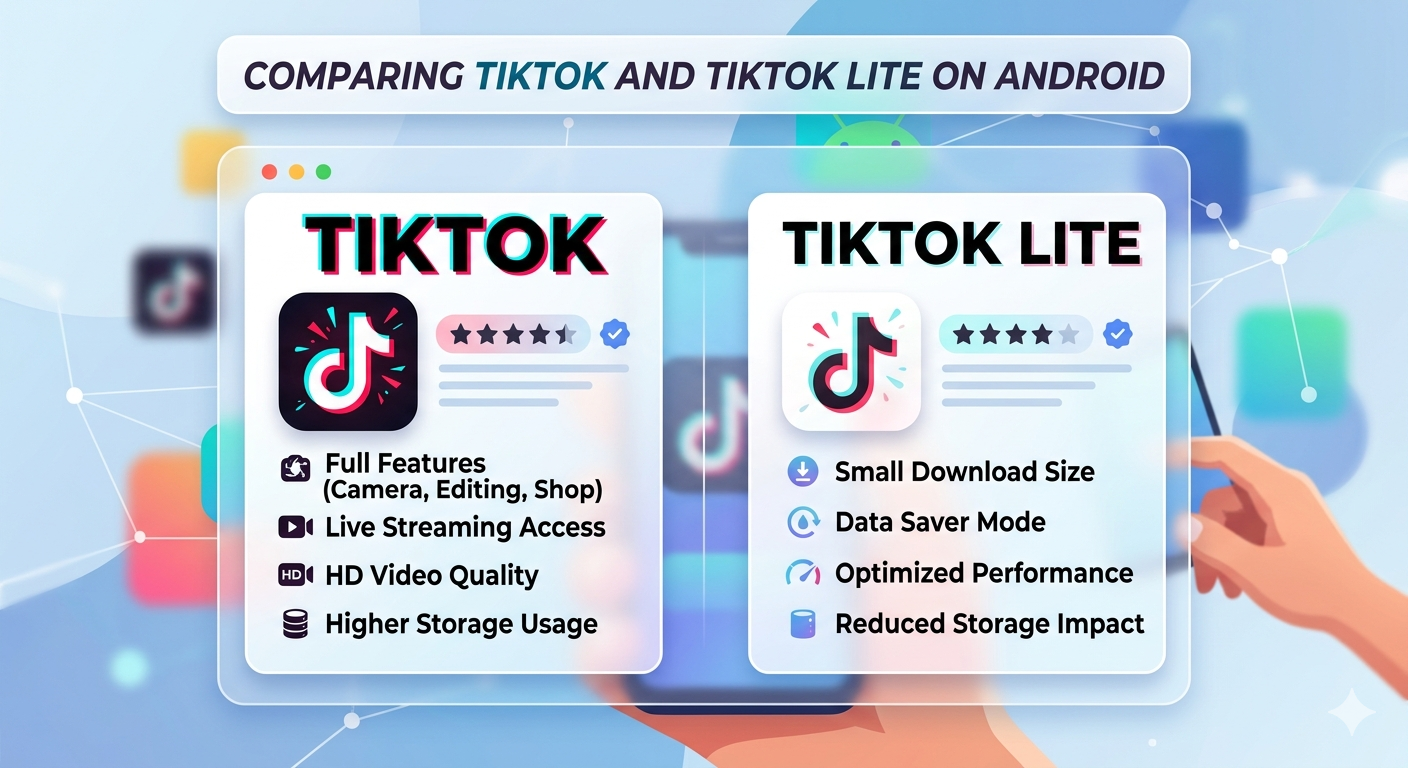
TikTok App vs. TikTok Lite
TikTok has completely transformed the digital world, becoming the go to platform for short form mobile video entertainment and creative expression. Millions of Android users log in daily to explore endless trends, connect with global communities, and share their own unique stories. To ensure everyone can access the platform regardless of their hardware, developers created a streamlined alternative alongside the main application.
Below is the comparison table detailing the specific feature differences between both versions of the application to help you decide which one suits your Android device best.
Specification | Standard TikTok App | TikTok Lite Alternative |
Download Size | Varies by device (Typically ~100MB to 300MB base) | Minimal (~18MB to 70MB base) |
Storage Required | High (Caches videos heavily) | Low (Optimized for limited storage) |
Minimum Android OS | Android 6.0 or higher | Android 5.0 or higher |
Best Suited For | High-end and mid-range phones | Budget or older Android devices |
Key Exclusion | None (Includes Live and Shop) | Lacks LIVE streaming and Shop features |
Technical Specifications and Compatibility Check
Before updating or downloading the application, it is always a good practice to ensure your operating system aligns with the latest release requirements. Running a version of the app that isn't fully compatible with your system can lead to unexpected crashes on the initial splash screen or authentication errors during login.
How to Download and Install TikTok on Android
Setting up the application on your mobile device is straightforward. Depending on your preference and location, you can choose to download it natively or fetch the official installation package directly.
Open the Google playstore
Download the TikTok App from Google Playstore by clicking the button below.
Initiate the Installation
Tap the green "Install" button. The Play Store will automatically download the compressed setup files and install the package onto your device.
Launch and Set Up Account
Once installed, tap the "Open" button. When the application launches for the first time, you can create a brand new profile using your email, or log directly into your existing account.
Watch the video below.
How to Manage Mobile Data and Cache on Android
Because TikTok continuously pre-loads video content onto your phone to prevent buffering, it is notorious for consuming massive amounts of background data and storage. If you notice your Android phone running out of space or your mobile bill spiking, you can fix this manually with two built-in settings:
1. Enable the Native Data Saver
To restrict the app's heavy bandwidth usage without switching platforms, open your profile, navigate to Settings and Privacy, and scroll down to Data Saver. Toggling this on will slightly reduce video resolution but will save up to 20% on data usage when you aren't connected to a local Wi-Fi network.
2. Automate Cache Clearing
If your device is running low on internal memory, you do not need to uninstall the application. Instead, navigate to the Free Up Space setting inside the app. Here, you can clear cached video files that are stored locally. This deletes the temporary viewing history without affecting your drafts, uploaded videos, or account credentials.
Battery & Resource Management
The standard application is highly resource-intensive because it continuously renders high-definition video and pre-loads content feeds. On mid-range or budget Android devices, default settings can quickly lead to severe battery drain and background memory consumption. Managing how your phone allocates background power is vital for maintaining daily device longevity.
Quick Settings Adjustments
Optimized Profile: Under your Android system settings (
Settings > Apps > TikTok > Battery), switch to "Optimized." This allows the OS to restrict background activity if you haven’t opened the app in a few hours, preserving standby battery life.Restricted Profile: For maximum power savings, choose "Restricted." This completely halts the application the moment you close it, though it will pause real-time push notifications until you manually reopen the app.
Disable Auto Play & Effects: Inside the app's native accessibility menus, toggling off high-end animation filters and pre-rendering options eases the load on your phone's graphics processor (GPU), keeping the device cooler and saving power.
Frequently Asked Questions
Q. Why does my phone say the app is incompatible after a new update?
This usually happens if your phone's internal Android system web view or OS version has fallen behind the minimum build requirements set by the developers. To resolve this, check your device's main settings for a system software update before attempting to reinstall the application.
Q. What is the difference between standard TikTok and TikTok Lite?
TikTok Lite is a lightweight version designed specifically for devices with lower RAM and unstable network connections. It uses significantly less storage and includes an offline mode that caches a few videos ahead of time, but it cuts out heavier features like TikTok Shop and live broadcasting to maintain its small size.
Q. Is it safe to use the in-app browser for transactions?
Yes. The official application utilizes encrypted data transmission protocols for all in-app actions, including interactions within the integrated Shop tab. For maximum safety, always ensure your app is kept updated to the latest security version.
Q. Can I download TikTok directly if the Google Play Store isn't working?
Yes. If your built-in storefront is encountering connectivity bugs or errors, you can securely download the official mobile setup package directly from the web browser by visiting the official download hub provided on TikTok's main support portal.
⚠️Disclaimer
TikTok is a registered trademark of ByteDance Ltd. All screenshots, logos, and brand names used in this article are for commentary and educational purposes only. This site is not affiliated with or endorsed by TikTok.
Images
( Tap any image to open it )
Features
Advanced Video Editing Tools
Massive Free Audio Library
Personalized "For You" Feed
Creative Duet & Stitch Options
AR Filters & Visual Effects
Real-Time LIVE Streaming
App Info
Version
45.4.1
Size
325 MB
Category
Social
Requires Android
Android 6.0+
Last Updated
3 June 2026
Price
Free
Developer
ByteDance Ltd.
Downloads
948K+
Rating
4.7 / 5 ( 3 )