 APKBees
VN Video Editor
Loading...
Share App
Share VN Video Editor with friends
https://apkbees.com/apps/vn-video-editor
SHARE ON
VN Video Editor APK 2026 Download & Editing Guide
VN Video Editor is a free video editing application designed for mobile users who want to create high quality videos in a simple way. It is widely used by content creators on platforms such as YouTube TikTok and Instagram for editing short videos vlogs and social media content.
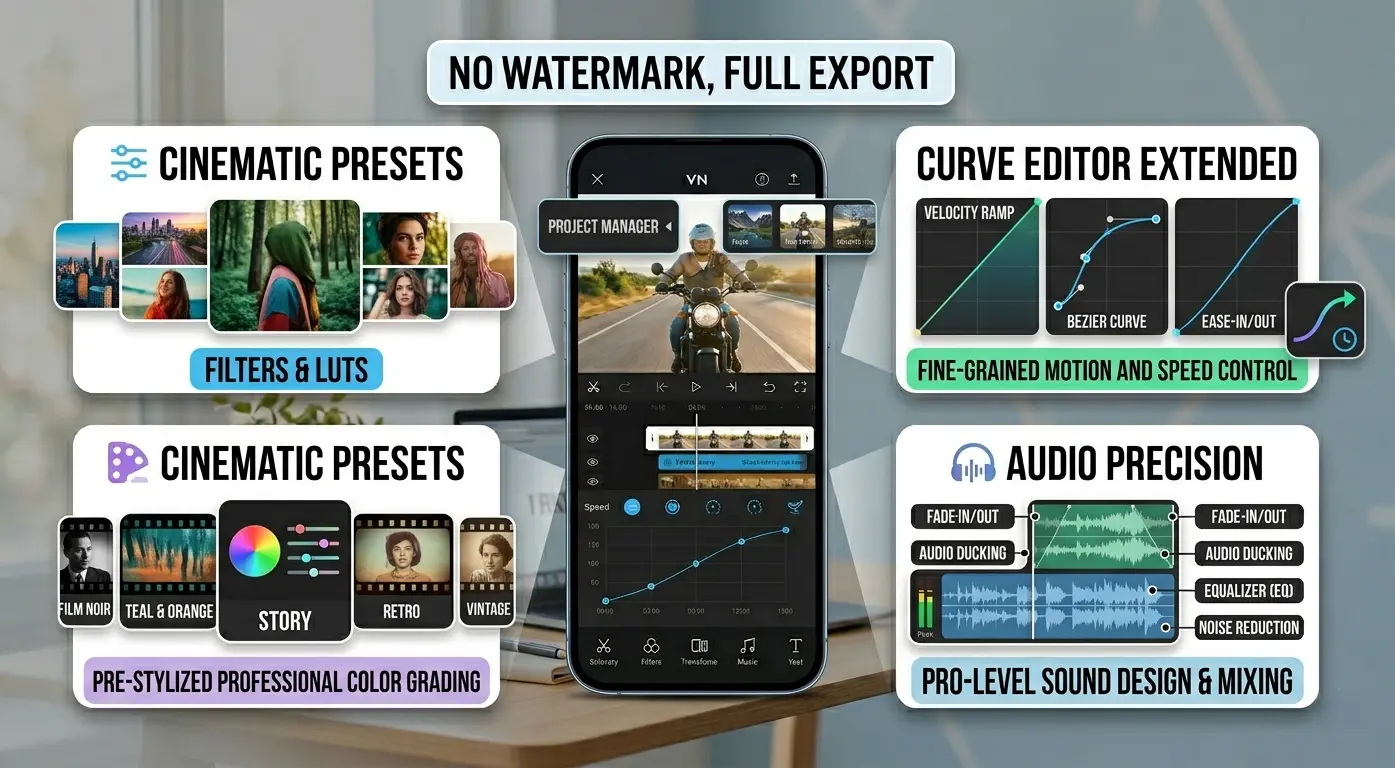
The app is popular because it offers both basic and advanced editing tools in one place. Users can create professional looking videos without needing expensive software or advanced editing skills. It supports features like multi layer editing filters transitions and high quality export options.
VN Video Editor works on both Android and iOS devices which makes it accessible to a large number of users. It allows easy video editing and exporting in high resolution directly from a smartphone.
What is VN Video Editor
VN Video Editor is a mobile video editing application that allows users to create edit and export videos directly from their phones. It provides a complete editing system where users can cut trim merge and enhance videos using built in tools.
The app supports multi layer editing which means users can work with video audio text and effects separately. This gives more control over the final video and helps in creating more professional results.
It is commonly used for making YouTube videos Instagram reels TikTok edits and personal video projects. The app is designed for both beginners and advanced users because it combines simple controls with powerful editing features.
Key Features of VN Video Editor
Easy to Use Interface
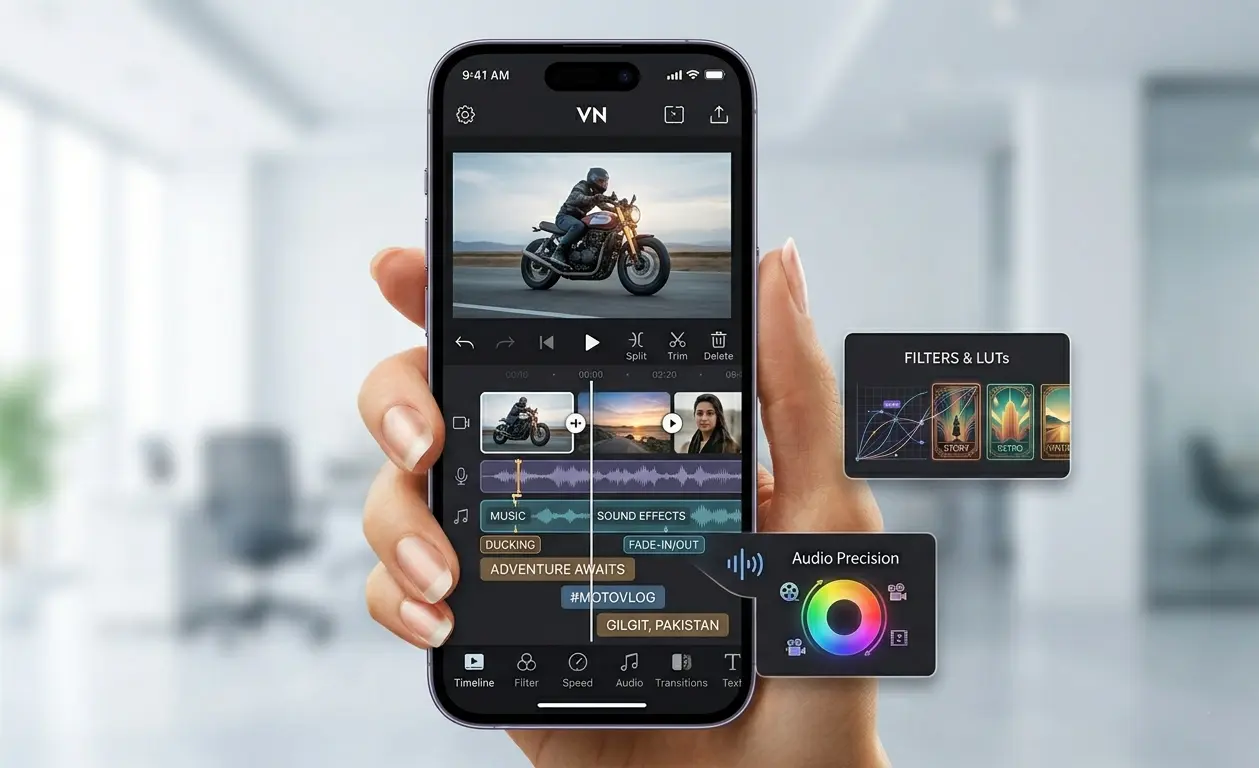
The app provides a simple timeline based editing system where users can arrange video clips by dragging and adjusting them easily. This makes the editing process smooth even for beginners who have no prior editing experience.
Multi Layer Editing
Users can edit video audio text and effects on separate layers within a single project. This allows more control over timing placement and overall video composition which helps in creating more professional results.
No Watermark Export
Videos can be exported without any watermark which is useful for creators who want clean and professional looking content for platforms like YouTube and TikTok.
Speed Control
Users can adjust video speed to create slow motion or fast motion effects. This feature is commonly used for cinematic edits and action style videos.
Filters and Effects
The app includes a wide range of filters transitions and visual effects that help improve the visual quality of videos and make them more engaging.
Text and Subtitle Tools
Users can add text captions and subtitles using different fonts styles and animations. This is useful for tutorials vlogs and social media content where text explanation is needed.
High Quality Export
VN Video Editor allow users to export videos in HD and 4K resolution depending on the device capability which ensures high quality output suitable for professional platforms.
Download VN Video Editor On Android
VN Video Editor is primarily available through the Google Play Store for Android users, which ensures the app is secure, verified, and automatically kept up to date. While APK files are an alternative, they are typically used only for specific needs, such as accessing older versions or when the official store version is unavailable in a specific region.
Installation Process
Locate the App: Tap here to head directly to the official Google Play Store page for VN Video Editor.
Install: Tap the Install button to begin the download and automatic installation.
Open: Once the progress bar reaches 100%, tap Open to launch the app.
Start Editing: You can begin your project immediately without any complex setup.
The application is highly compatible, supporting most Android devices running version 5.0 or higher. It is specifically optimized to perform smoothly even on mid-range and budget-friendly smartphones, ensuring that powerful video editing tools remain accessible to a wide audience of creators.
VN Video Editor for iOS
iOS users can also access VN Video Editor on iPhone and iPad through the official Apple App Store. The iOS version provides the same core editing features found on Android, including timeline editing, filters, transitions, and high-quality export options, ensuring a consistent and professional editing experience across devices.
Installation Process
Locate the App: Tap here to visit the official Apple App Store page for VN Video Editor.
Install: Tap the Get or Install button to download the app to your device.
Open: Once the download is complete, tap Open to launch the app.
Start Editing: You can sign in to your account or skip directly to creating a new project to begin editing your videos immediately.
After installation, the app is ready to use without any complex setup, allowing you to take advantage of its powerful multi-track editing tools and seamless performance on iOS hardware.
How to Use VN Video Editor
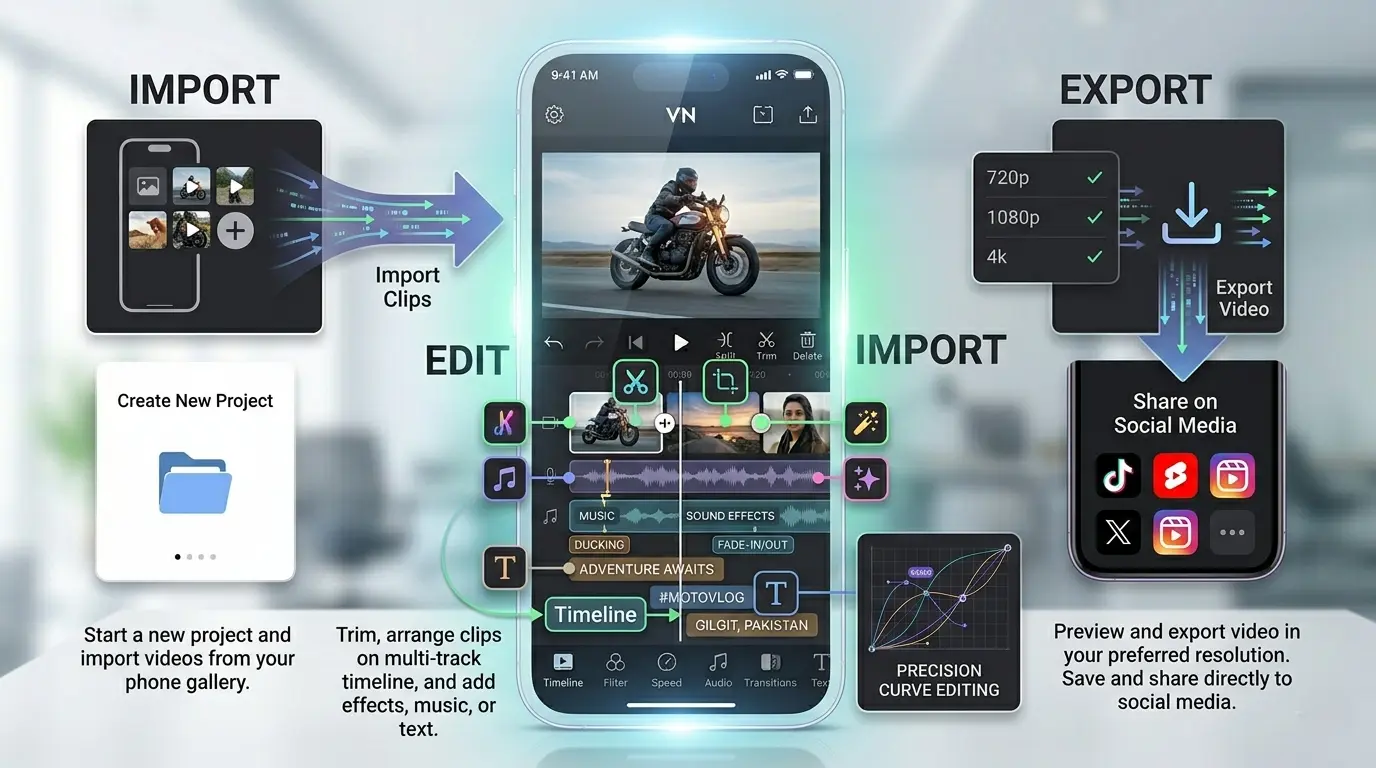
Using VN Video Editor is simple and does not require advanced editing knowledge. After opening the app, users can start a new project and import videos from their phone gallery.
The editing process includes trimming clips, arranging them on the timeline, and adding effects, music, or text depending on the project requirements. Each tool is clearly organized so users can easily find and apply features while editing.
Once the editing is complete, users can preview the video and export it in their preferred resolution. The export process is quick and allows saving videos directly to the device for sharing on social media platforms.
Pros and Cons of VN Video Editor
Pros | Cons |
|---|---|
✅ Free to use with powerful editing tools | ⛔ Some advanced features may require learning time
|
Common Problems and Solutions
While using VN Video Editor, some users may face minor technical issues depending on their device performance or project size. These problems are common in most video editing apps and can usually be fixed easily without advanced technical knowledge.
Running slow or lagging
If the app becomes slow during editing, it is usually due to heavy projects or background apps consuming memory.
Solution
Close unused apps running in the background and restart VN Video Editor. Reducing the number of layers or simplifying effects can also help the app run more smoothly, especially on low end devices.
Export process fails or gets stuck
Sometimes video export may fail or stop in the middle of processing. This can happen if the video resolution is too high for the device to handle.
Solution
Try lowering the export resolution or reducing the frame rate before exporting again. Making sure your device has enough storage space also helps prevent export errors.
Audiot synced issue
Audio sync issues can occur when multiple clips or effects are used on the timeline.
Solution
Carefully check the alignment of audio tracks with video clips. Adjusting the timing manually on the timeline usually resolves the issue. Re importing the audio file can also help if the problem continues.
App crashes during editing
In some cases, the app may close unexpectedly when handling large projects. This usually happens due to insufficient RAM.
Solution
Restarting the device and clearing background applications can improve stability. Keeping the app updated also helps reduce crashes.
VN Video Editor vs CapCut Comparison
Feature | VN Video Editor | CapCut |
|---|---|---|
Ease of Use | Timeline based interface with full manual control | Very easy with templates and auto tools |
Editing Style | More professional and manual editing control | More guided and template based editing |
Layer Editing | Strong support for video audio text and effects layers | Supports layers but more simplified workflow |
Effects and Templates | Fewer templates but more manual creativity | Large library of trending effects and templates |
Watermark | No watermark on exported videos | No watermark in most free exports |
Best For | Users who want professional and detailed editing | Users who want fast social media editing |
Frequently Asked Questions
Is VN Video Editor completely free to use on Android and iOS?
Yes, VN Video Editor is free to download and use on both Android and iOS devices. Most of its core editing tools, including trimming, transitions, effects, and video exporting, are available without requiring a subscription.
Does VN Video Editor export videos without a watermark?
Yes, one of the biggest advantages of VN Video Editor is its ability to export videos without adding a watermark. This makes it a popular choice among content creators who want clean and professional-looking videos.
Is VN Video Editor suitable for beginners with no editing experience?
Yes, the app is designed to be beginner friendly while still offering advanced editing tools. Its timeline-based interface makes it easy to learn basic editing techniques without a steep learning curve.
Can this app be used for YouTube, TikTok, and Instagram content creation?
Yes, it is widely used for creating content for YouTube, TikTok, Instagram Reels, and other social media platforms. It supports high-quality exports, effects, transitions, text overlays, and audio editing tools.
What are the minimum device requirements to run the app smoothly?
The app works on most Android devices running Android 5.0 or later and is also available for iPhone and iPad users. For the best editing experience, a device with sufficient storage and RAM is recommended.
Conclusion
VN Video Editor is a complete mobile video editing solution for users who want to create professional quality videos in a simple and efficient way. It combines easy tools with advanced features such as multi layer editing filters transitions and high quality export options.
Whether you are a beginner learning video editing or a content creator producing videos for platforms like YouTube TikTok or Instagram The Platform provides all the essential tools in one place. Its smooth performance and clean interface make it a reliable choice for mobile video editing.
Overall VN Video Editor is a strong option for anyone looking to edit videos directly from a smartphone without needing complex software or expensive tools.
This article is provided for informational, educational, and review purposes only. We are not affiliated with, endorsed by, or officially connected to VN Video Editor or its developers. All trademarks and brand names belong to their respective owners. Readers should refer to official sources for the latest information and updates.
App Info
Version
N/A
Size
N/A
Category
Video
Requires Android
Android 5.0+
Last Updated
20 June 2026
Price
Free
Developer
Ubiquiti Labs, LLC
Downloads
72K+
Rating
5.0 / 5 ( 41 )